This Is What 6 AM Looks Like with WorkSync
Every morning, WorkSync delivers a ranked, route-optimized work plan to every crew in your field. Tasks are scored by cash flow impact, safety risk, and operational urgency. No spreadsheets. No phone calls. The plan is ready before the truck leaves the yard.
Below is a walkthrough of what your lease operators, field superintendents, and operations managers would see on a typical morning. All screenshots are from a live deployment across 2,000+ wells.
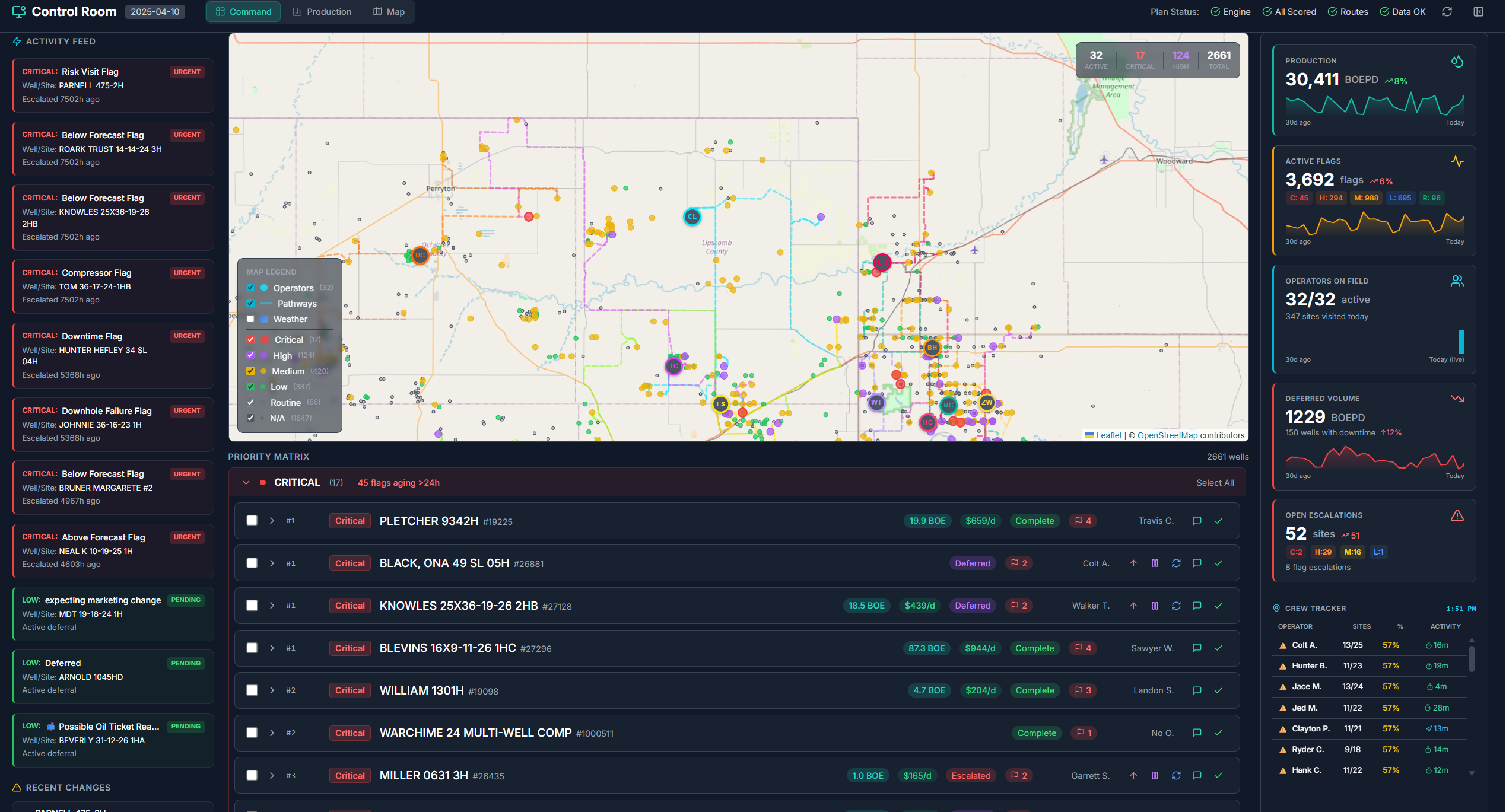
1. The Control Room
Your entire operation, one screen
Before crews leave the yard, superintendents see the full picture: a geospatial map of every well, an activity feed of overnight flags and alarms, and production KPIs updated in real time. Critical issues are color-coded by severity. Nothing is buried in a spreadsheet.
- Every well plotted on a map with severity indicators
- Activity feed shows flags, alarms, and escalations
- Production, deferred volume, and crew status at a glance
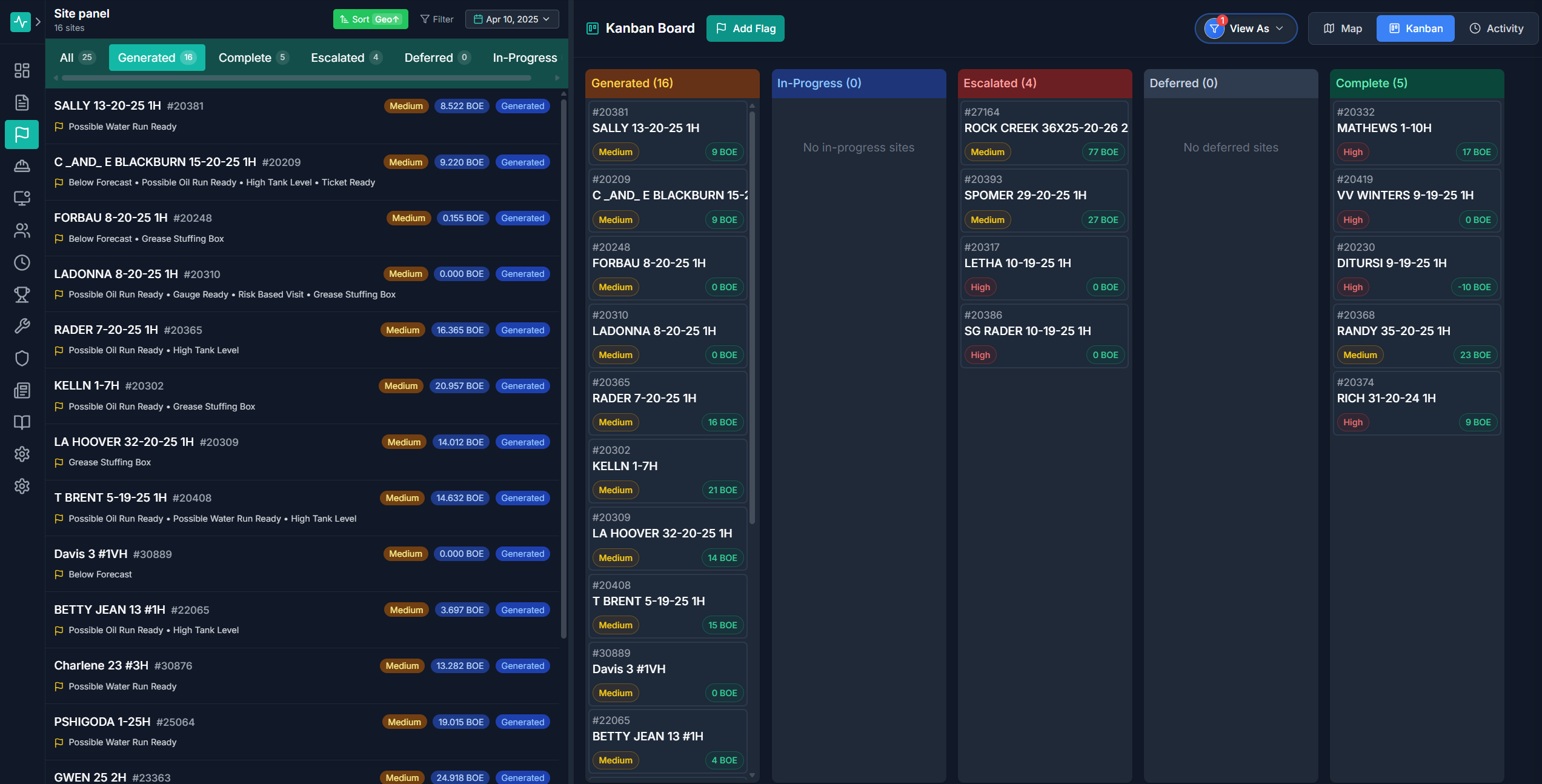
2. The Ranked Work List
Every task scored by dollar impact
Each well site is scored using ML models that evaluate production deviation, equipment health, safety risk, and estimated revenue at stake. The result is a ranked list where the most valuable work sits at the top. Crews see exactly what to do first, second, and third.
- Tasks ranked by BOE impact, dollar value, and urgency
- Kanban columns: Flagged, Assigned, In Progress, Resolved
- Each card shows well name, flag type, and economic score
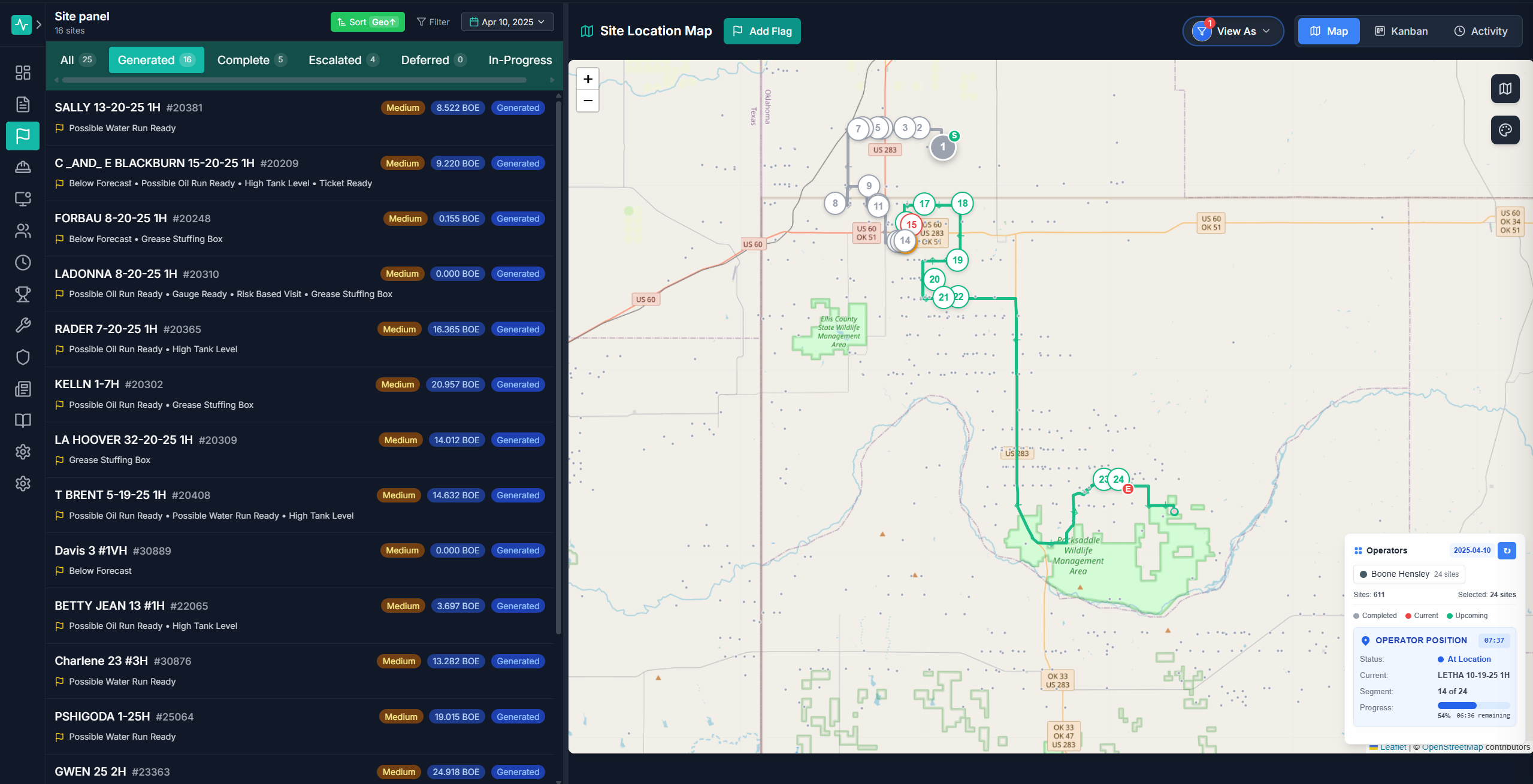
3. The Optimized Route
AI-calculated paths, not habit-based loops
Routes are generated based on task priority, geographic proximity, and time constraints. Crews no longer drive fixed loops. Instead, they follow routes that put the highest-value work first and minimize windshield time between stops.
- Routes calculated by priority, proximity, and time windows
- Color-coded stops by severity and task type
- Estimated drive time and task duration per stop
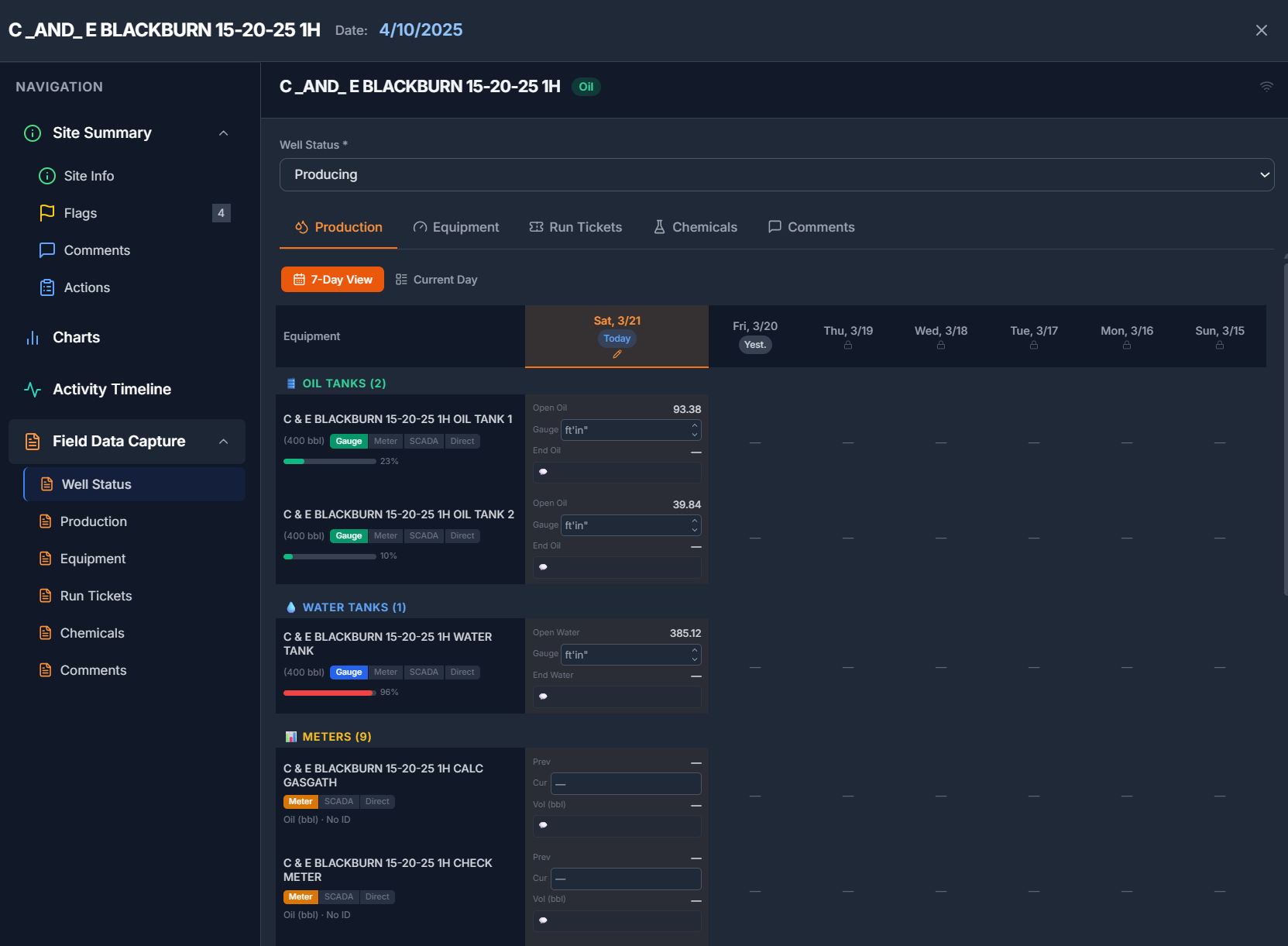
4. The Well Detail
Context for every decision
When a crew arrives on site, they tap a well card and see everything: current production vs. forecast, sensor trends, active flags, and the recommended action. No phone calls to the office. No guessing. The data is already there.
- Production forecast vs. actual with deviation highlighted
- Sensor readings (casing pressure, tubing pressure, flow rate)
- Flag history and recommended remediation steps
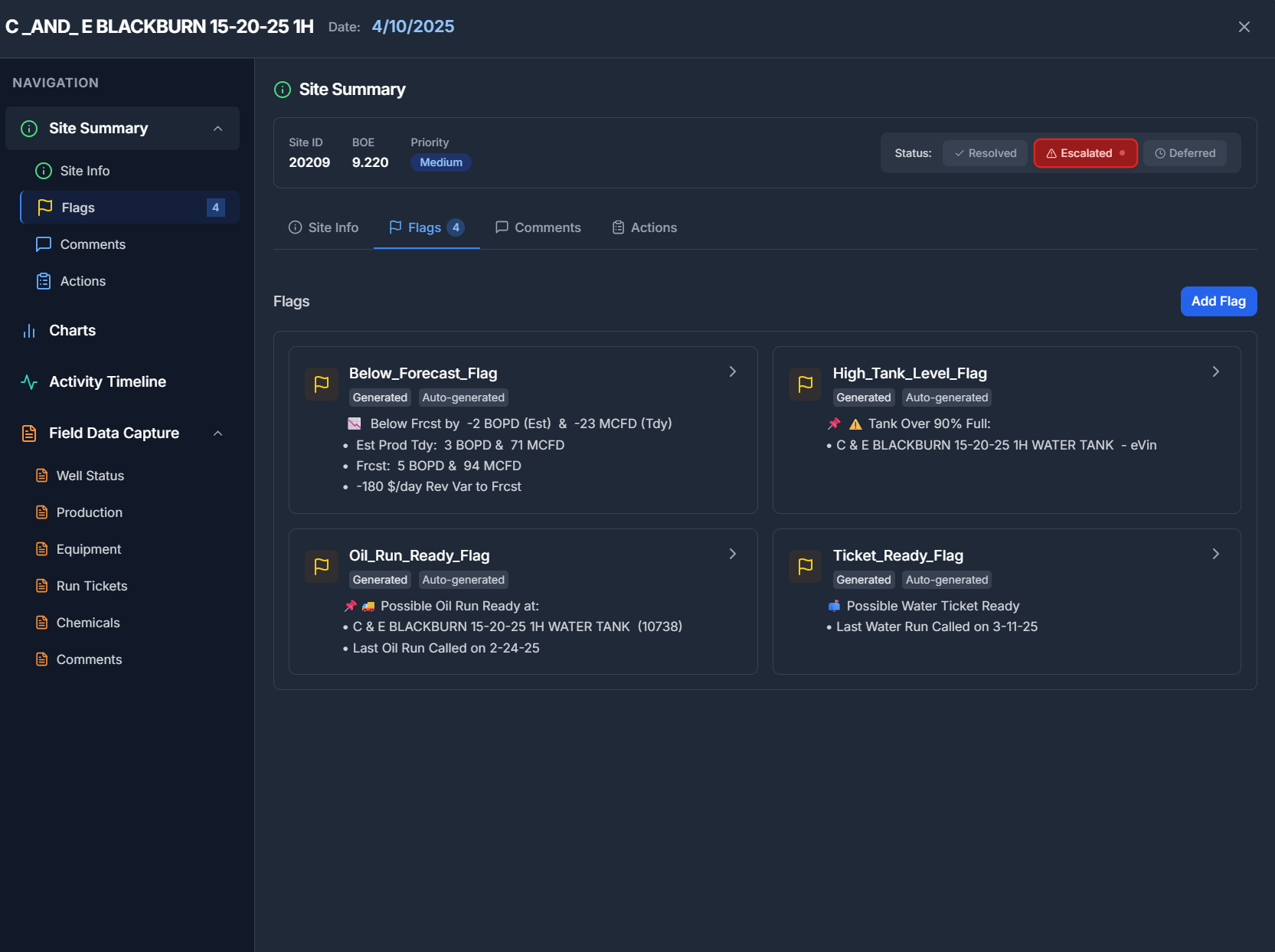
5. The Exception Flag
Anomalies caught overnight, scored by morning
ML models run continuously against SCADA data, catching anomalies that fixed thresholds miss. By 6 AM, every exception is flagged, scored, and assigned. A rod pump showing early signs of failure gets flagged before it goes down, not after production is already lost.
- ML-detected anomalies, not just threshold alarms
- Each flag scored by estimated production at risk
- Escalation timeline shows how long the issue has been aging
What Changes When the Plan Arrives at 6 AM
Results from a live deployment across 4,000+ wells in the Western Anadarko Basin.
See This for Your Operation
Tell us about your wells, your data sources, and your crew structure. We will show you what a ranked daily plan looks like with your data.